Features
Everything JamoMoa does, from the moment you drop a file to the finished conversion.
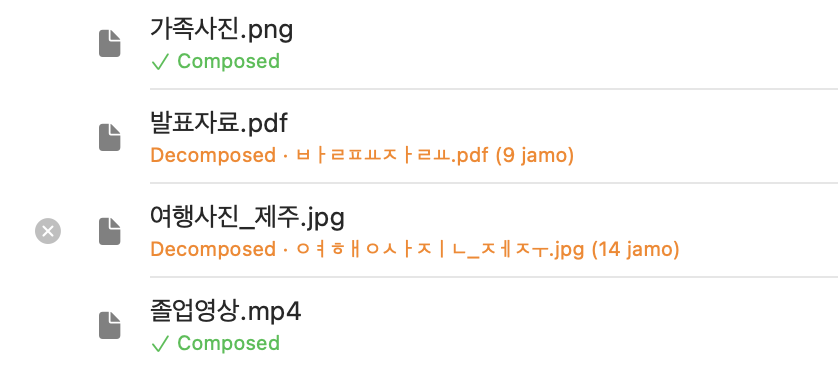
Preview first, convert only when you press
Drop files or folders and JamoMoa lists every entry's normalization status first. The actual name changes only when you press — 'remove' just drops it from the list, never from disk. So you always see what will change before it does.
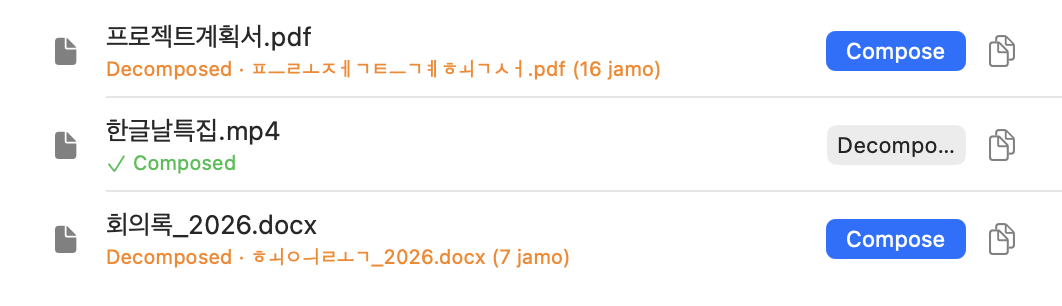
Compose ⇆ decompose, both ways
Split-apart (NFD) names compose into NFC; already-composed (NFC) names decompose back to NFD. One row at a time or the whole list with Compose All / Decompose All — and since NFC ⇆ NFD is lossless, converting one way and back returns the exact original bytes.
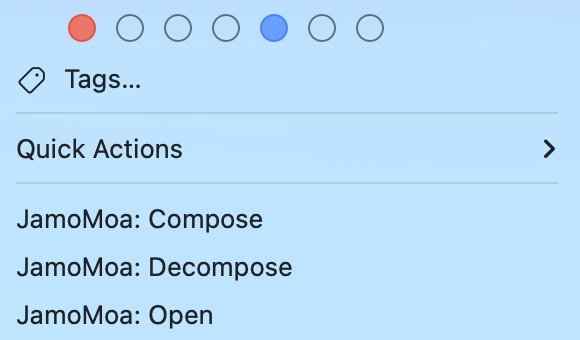
Right from the Finder, no app window
Select files and right-click — JamoMoa: Compose · Decompose · Open. Compose and Decompose run right there and the result arrives as a notification banner. Want to review first? 'Open' sends the selection to the preview list. No app window required.
Automate with Shortcuts
Four actions join the Shortcuts app: Compose Files · Decompose Files · Compose Text · Decompose Text. They run in the background without opening the app, 'Include Folder Contents' controls the depth, and per-item failures are reported as counts so an automation never stalls.
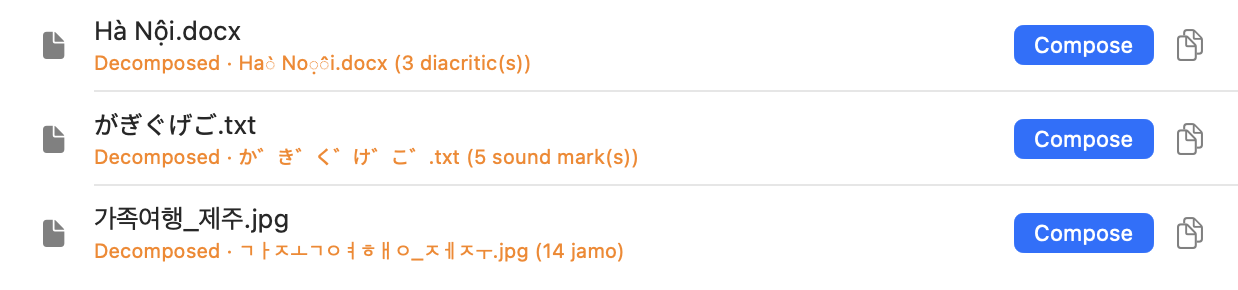
Korean, Japanese, Vietnamese — one flow
The conversion is script-agnostic. Beyond split-apart Hangul jamo, it handles Japanese voiced and semi-voiced marks (が = か + U+3099) and Vietnamese diacritics (ế = e + U+0302 + U+0301) the same way.
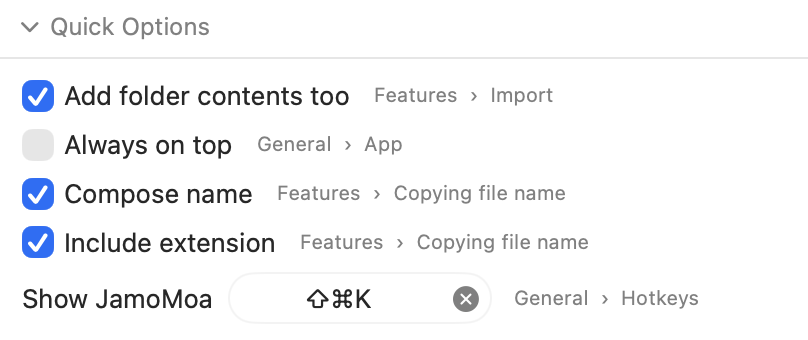
Quick options, at hand
Gather just the toggles you use most into the bar at the bottom of the main window, and flip them right there without opening Settings. Choose which appear, and in what order, under Settings ▸ Quick Options. JamoMoa runs as a menu-bar accessory with no Dock icon, so a global hotkey summons this window from anywhere.
The small things
Safe by design
Never touches file contents — it renames only, via the POSIX rename(2) syscall, inside the App Sandbox.
Never overwrites
If a file with the target name already exists, that row just fails — an existing file is never clobbered.
No silent failures
Items it couldn't read don't just vanish — a warning shows how many, and why.
Built for big jobs
Tens of thousands of entries scroll smoothly, with a live progress count while it works.
Global hotkey
Summon the main window from anywhere — handy for a menu-bar app that's usually out of sight.
Keyboard & VoiceOver
Every row button — remove, copy — works without a pointer, by keyboard or VoiceOver.
Back up settings
Export / import / reset, and move your setup to another Mac as-is.
Universal binary
Runs natively on both Apple Silicon and Intel.
Developer log (optional)
A timestamped record of compose / decompose / copy events, for when you want a trail.
Download
First time? Getting Started walks you through first launch and updates.